 Coachwel
For fitness trainers and their clients
Plans, progress and payments. One app.
Build workout and meal plans in minutes. Your clients follow them, tick off meals and log workouts in their own app, and you see who is on track, and who still owes you.
Coming soon to iPhone and Android. Trainers join by invitation; clients join through their trainer.
For trainers
Money first, then clients
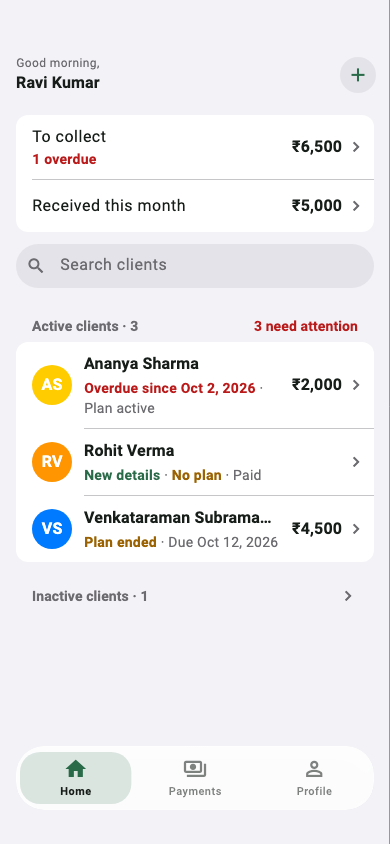
Home opens on what matters: what is still to collect, what came in this month, and which clients need attention.
- Clients in seconds. Add by name and number, or import from your contacts.
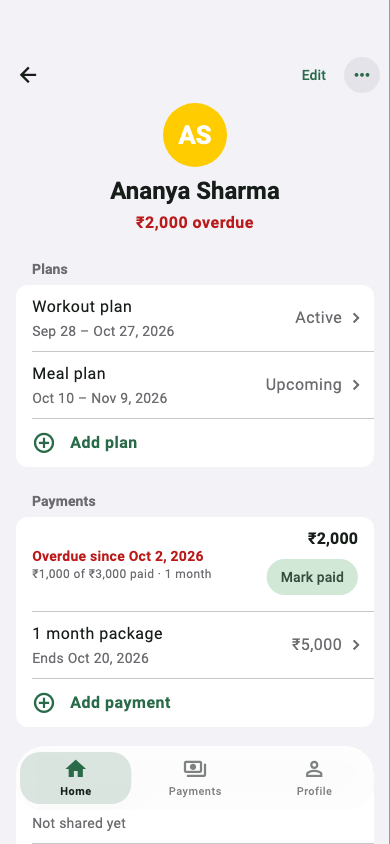
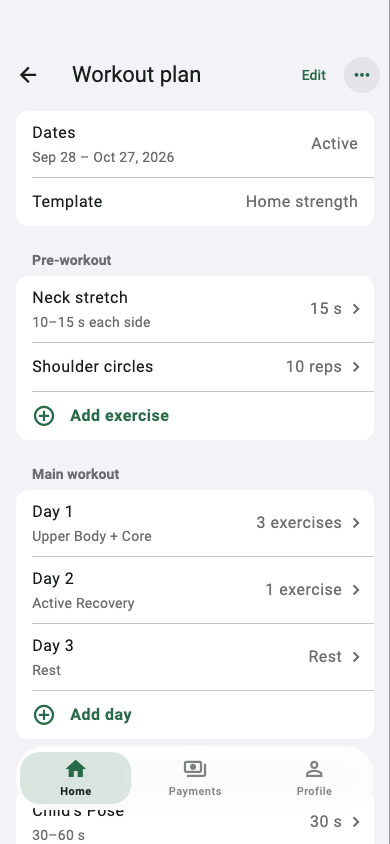
- Workout and meal plans. Days, sets, reps, timers and meal options, from a library or your own templates. Overlapping plans are blocked before they confuse anyone.
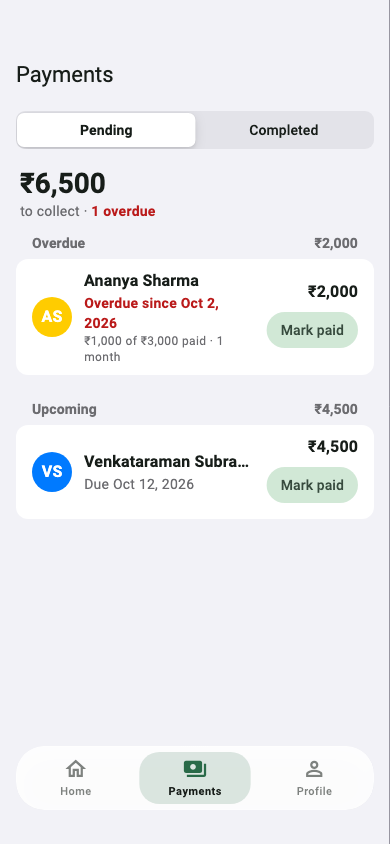
- Packages and payments. Sell 1 week to 12 months, record paid or pending, see what is overdue, nudge on WhatsApp.
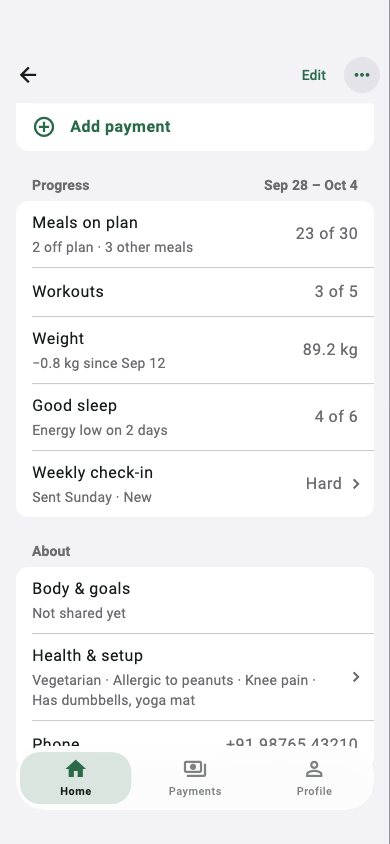
- Progress without asking. Meals on plan, workouts done, weight change, sleep and the weekly check-in, on each client's screen.
For clients
Today's plan, in their pocket
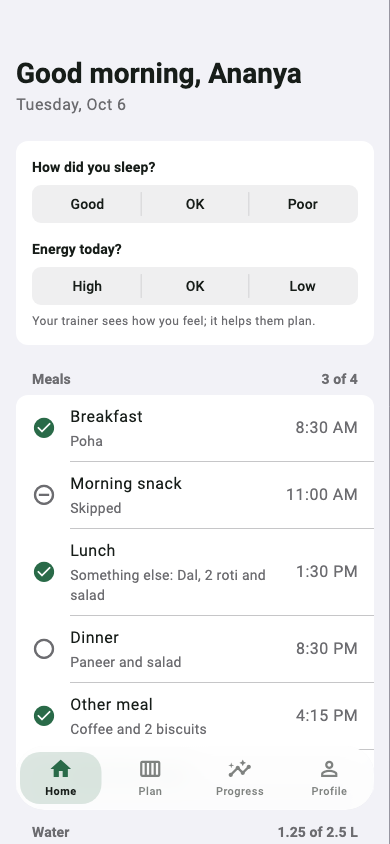
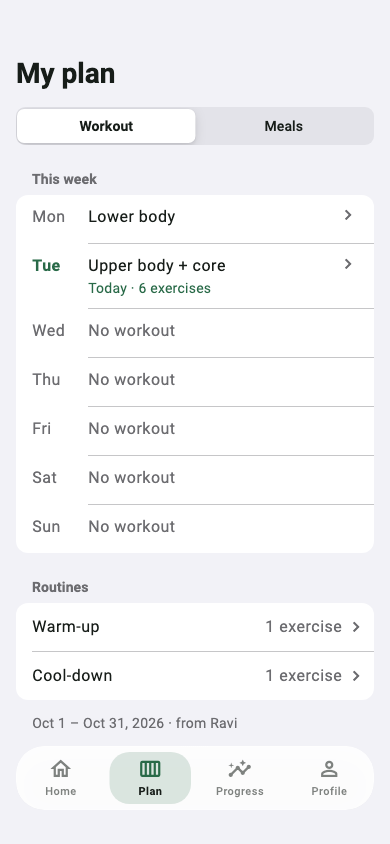
Clients sign in with the number you added. They see what to eat and which workout to do today, and every tap tells you how it went.
- Meals with a tap. Eaten, skipped, or something else, plus water in quick steps.
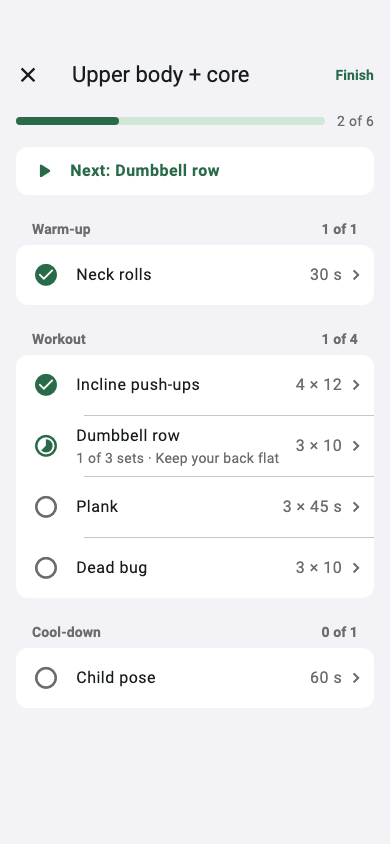
- A workout that runs itself. Set counter, countdown and rest timer, and the screen stays on.
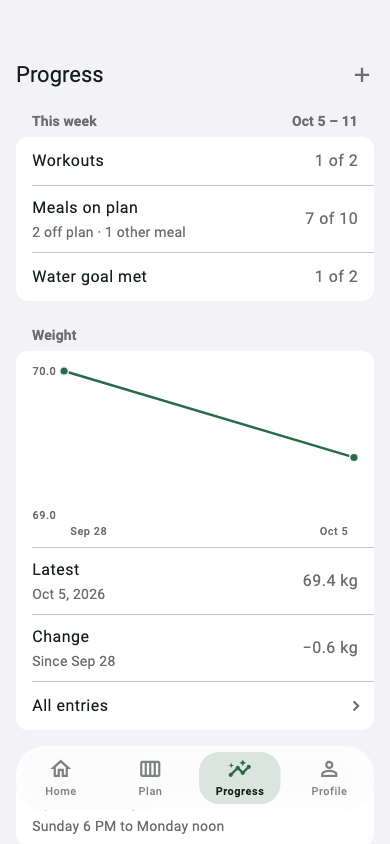
- Progress that motivates. This week, a 12-week weight chart, and a short check-in every Sunday.
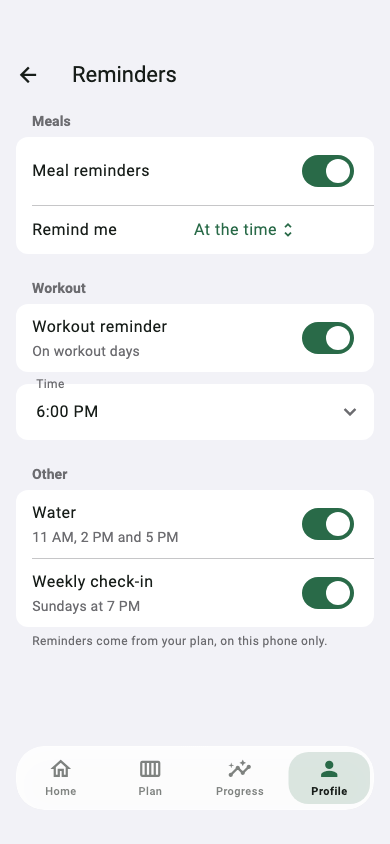
- Gentle reminders. Meal times, workout, water and check-in, set up once and easy to turn off.
How it works
From first message to first check-in
- 1Add your clientName and phone number. That's their invitation.
- 2Assign a planA meal plan and a workout plan, from a template or from scratch.
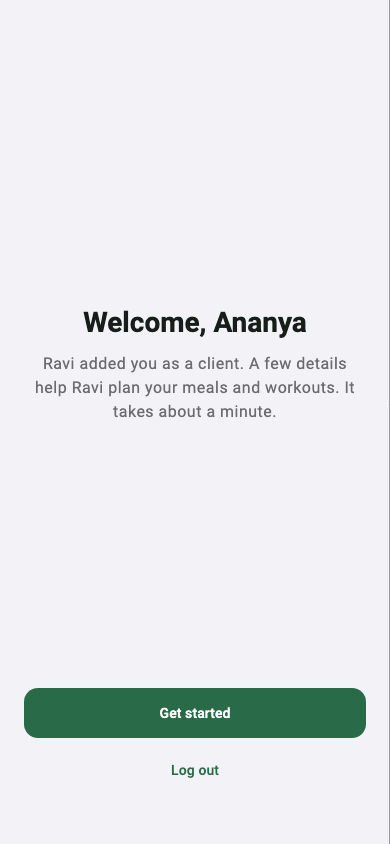
- 3They sign inSame number, a one-time code, a minute of details, then today's plan.
- 4You see the resultTicks, workouts, weight and check-ins show up on their screen in your app.
A closer look
Privacy
Health data, handled with care
A client's details, logs and check-ins are seen only by them and their trainer. None of it goes into analytics or crash reports. Reminders are scheduled on the phone, and a client can delete their account from the app at any time.
Questions
Who can use Coachwel?
Fitness trainers, by invitation, and the clients they add. A client signs in with the phone number their trainer saved.
Which phones does it work on?
iPhone and Android. It's coming soon to both stores.
Does it work with a weak connection?
Yes. Changes are saved on the phone right away and sent when the connection comes back.
Can a client leave?
Yes. A client can delete their account in the app. Their login, logs and the details they shared are deleted at once; the trainer keeps the plans and payment records.
How do I get access as a trainer?
Email icraftapp@gmail.com with your name and phone number.
Ready when your clients are
Tell us about your practice and we'll set you up.
Request trainer access